Translations
Wagnerguide support multiple languages and translations. Wagnerguide tries to match the browsers default language, or checks the URL-parameters for a lang-parameter.
The user can change the active language via the language menu in the live view.
Changing the language changes both manually translated fields, such as Menu buttons, as well as static translations inside the application.
Inline translator
Edit translations button appears next to translatable fields when using multiple languages:
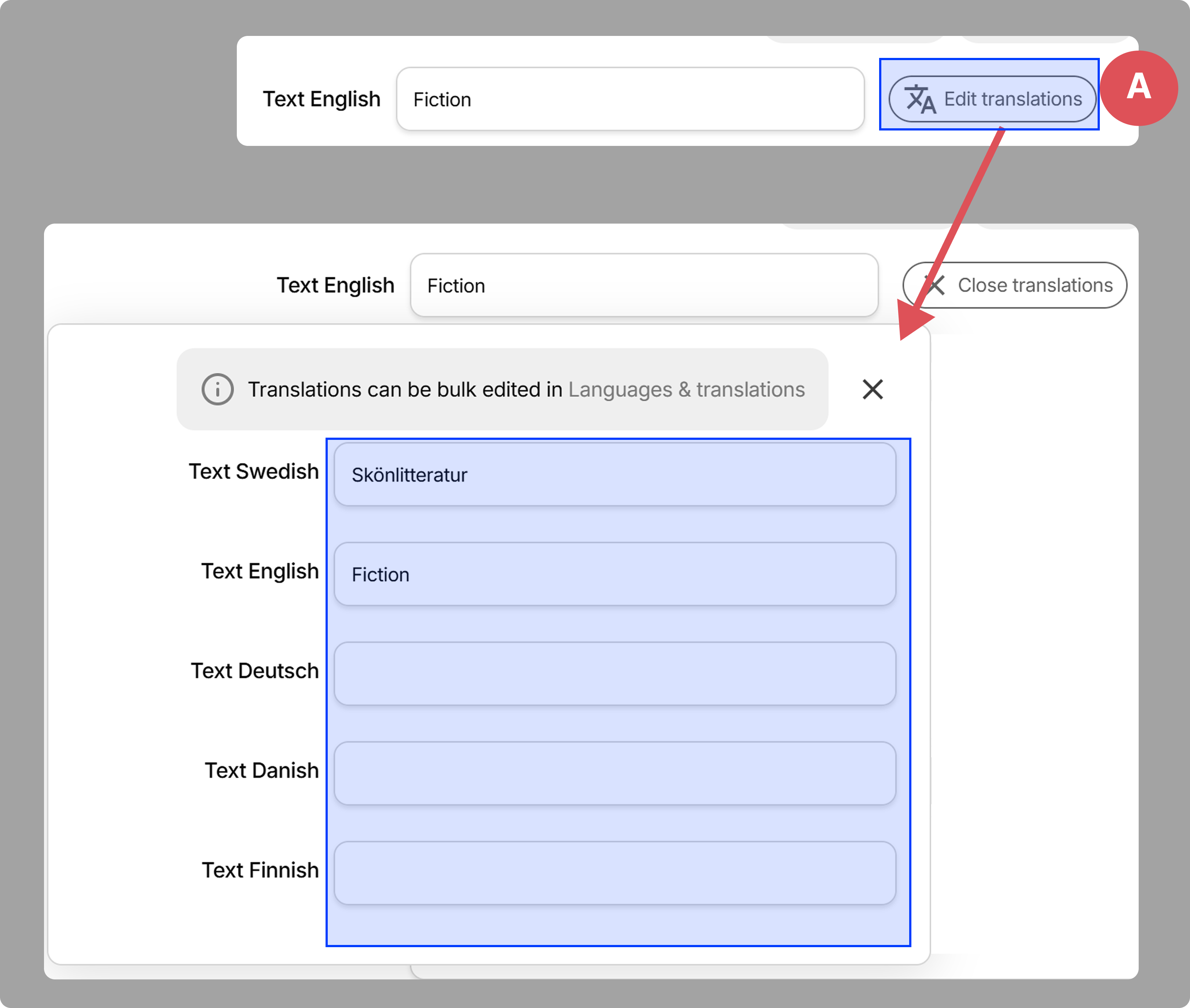
- A: Popout translations editor for quick translations
Bulk translator
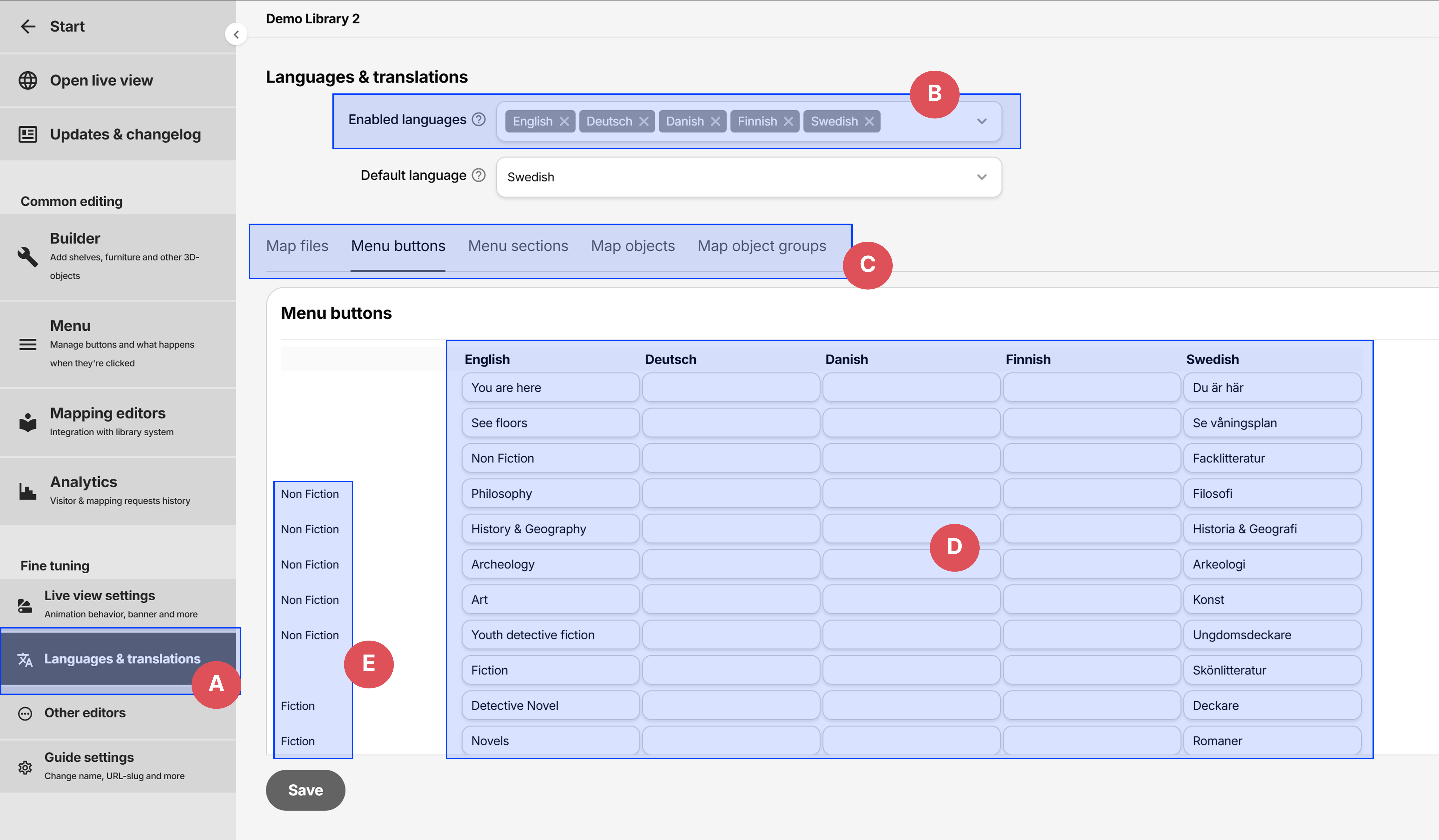
- A: Sidemenu button to enter the languages & translations editor
- B: Selector for enabled languages
- C: List of all translatable entities within the guide. Clicking on a tab changes the table in figure D.
- D: The items for the selected tab
- E: The parent menu button hierarchy when translating menu buttons
Set language via URL
If there's a lang query parameter included, Wagnerguide attempts to find that language. Example:
https://wagnerguide.com/c/demo/demolibrary?lang=en
You can set the language parameter via the URL generator under Other editors in the side menu.