Transformers
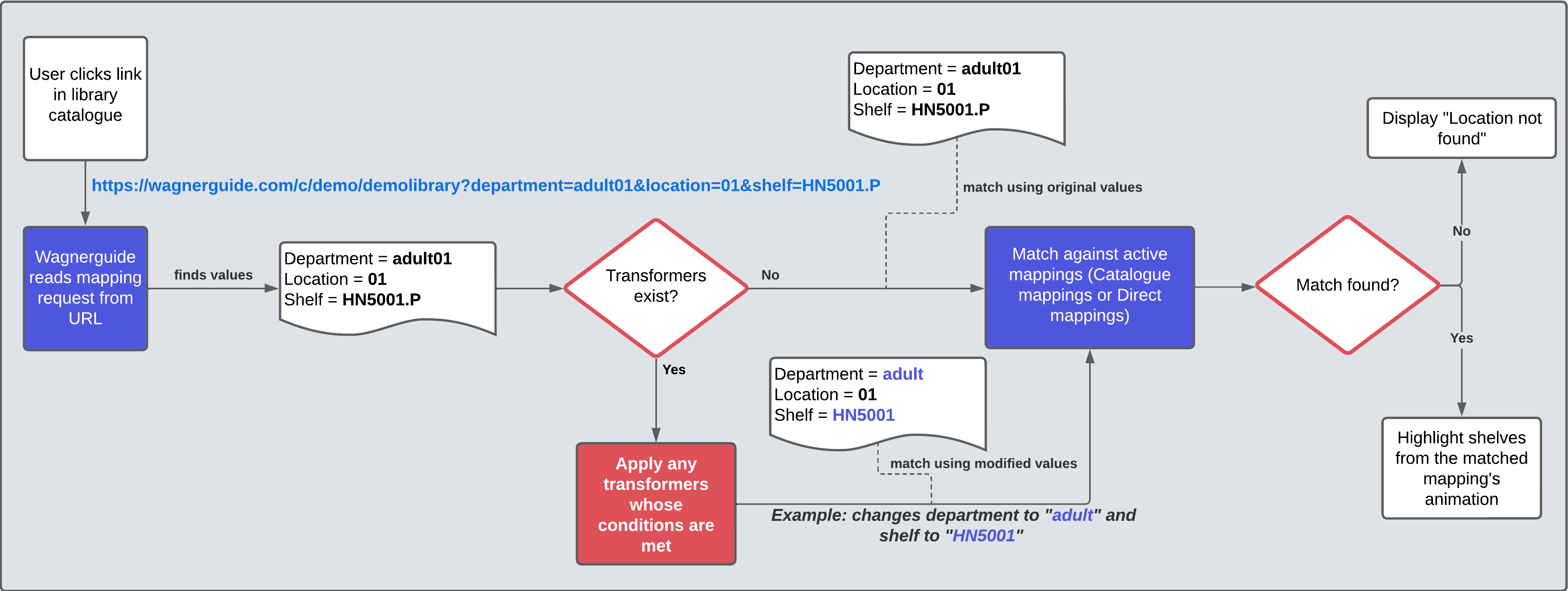
Transformers can be used to modify the values (department, shelf, location, sublocation) of the incoming library catalogue request, or add a mapping message to further instruct the user. They can have conditions similar to Catalogue mappings that must be met in order for the actions to be applied.
Flowchart
Transformers are applied before any mapping logic is executed.
Transformer editor
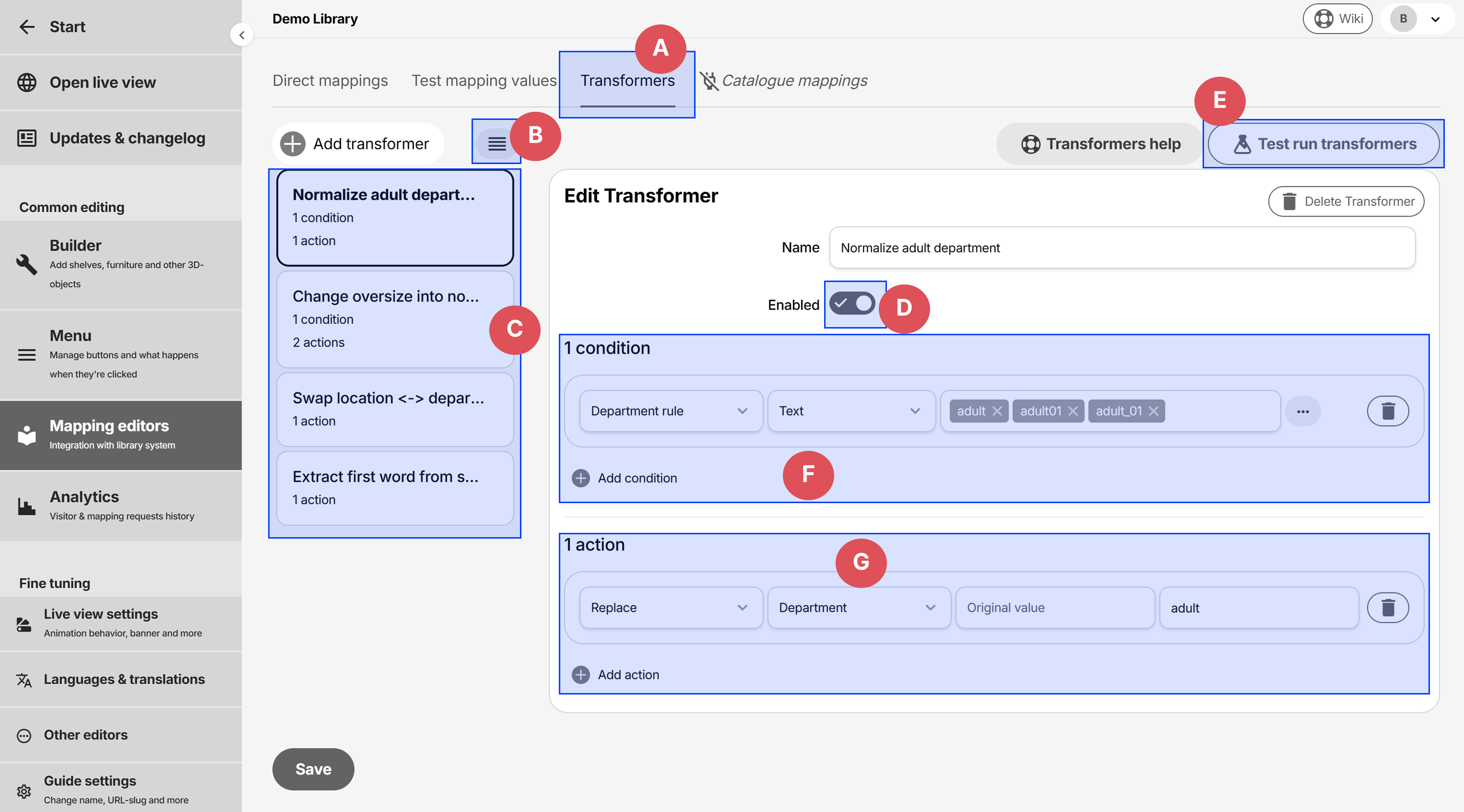
- A: Accessible via the tab under Mapping editors
- B: Change order of transformers. Note that they are ran in order, so a previous transformer might affect the next one
- C: List of transformers
- D: Enable or disable the transformer.
- E: Test run the transformers against specific request values
- F: Conditions that need to be met in order for the actions to be applied
- G: Actions that are applied if the conditions are met. Note that the actions are ran in order, so a previous action might affect the next one.
Common use cases
Normalize variations
Scenario: The library has similar department values that should be handled the same, such as adult, adult01 and adult_01
- Without transformers: each mapping must match each of the three values.
- With transformers: transformers checks if the value is either of the three via conditions, and if so, changes it to adult (or something else). The value adult is then entered in mappings without having to worry about the other variations.
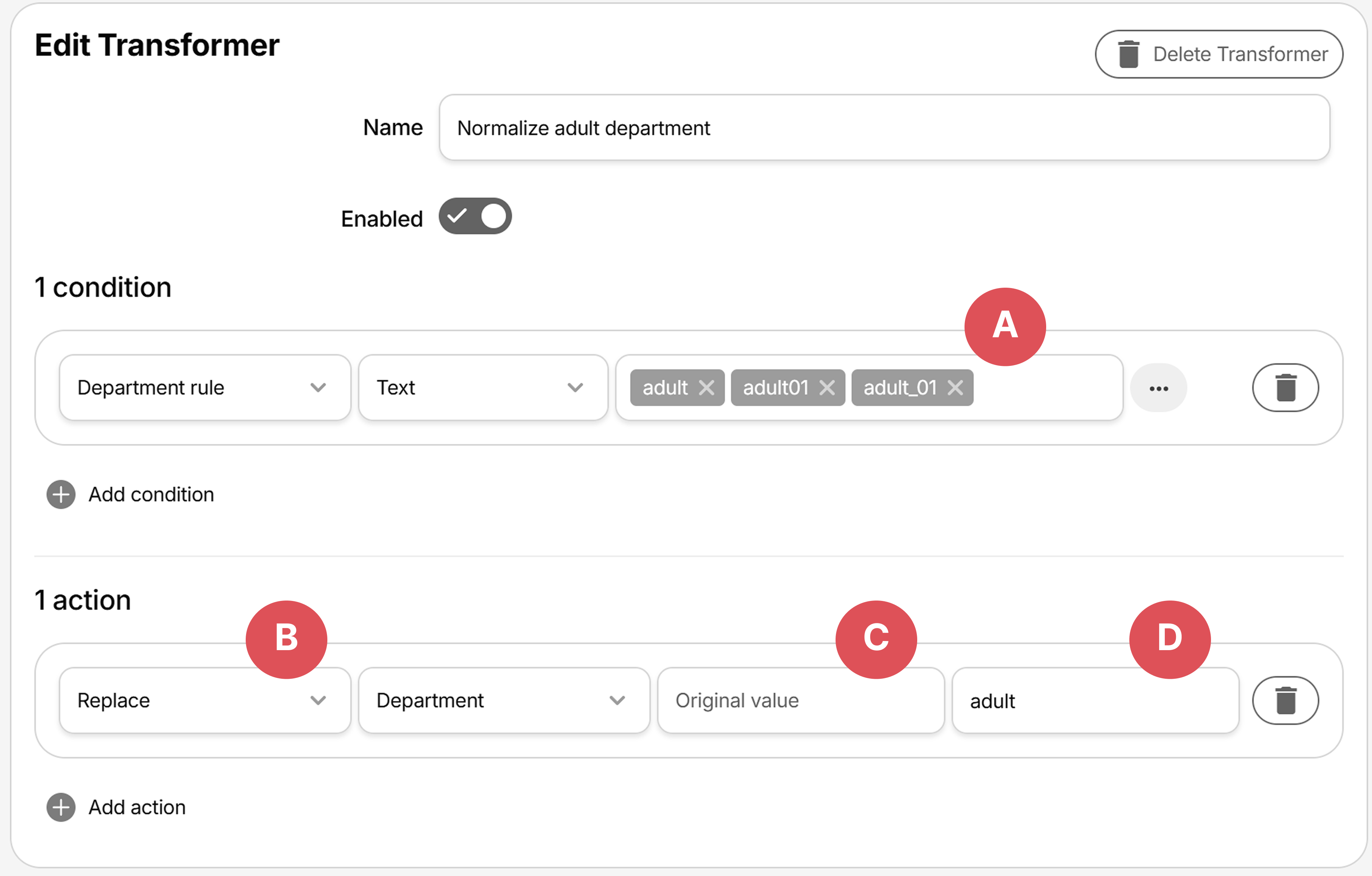
- A: Condition checks for three values
- B: Rule type is
Replace - C:
Original valueis left empty, meaning replace entire value with replacement - D: Replaces value in Department with
adult
Change one field by comparing another
Scenario: When the shelf starts, contains, or ends with a specific value (e.g. Oversize), then
- the department should be set to CUSTOM OVERSIZE, and
- Oversize should be removed from the shelf call number.
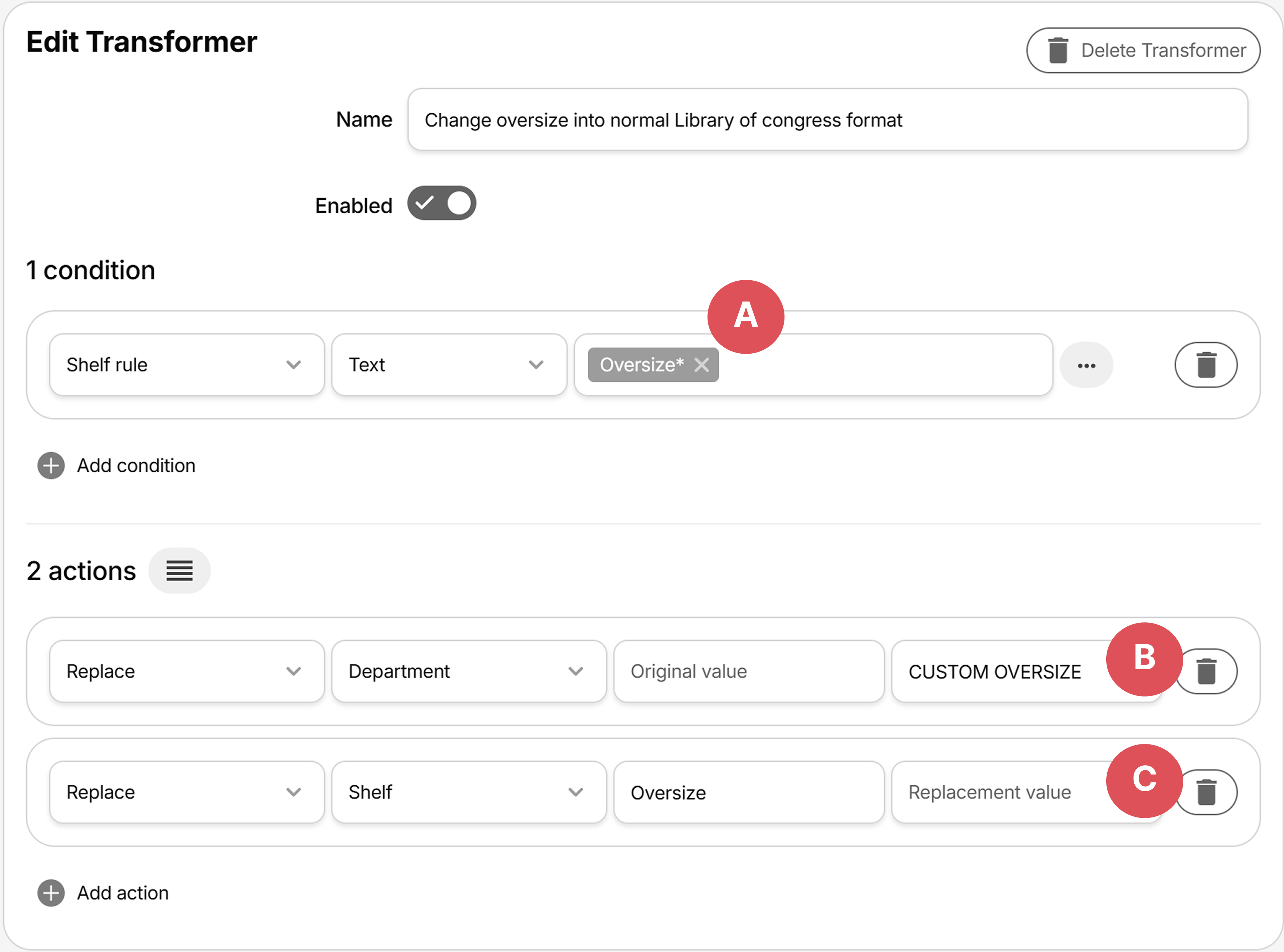
- A: Shelf condition checks for any value that begins with
Oversize(wildcard matches anything that comes after) - B: First action - since
Original valueis empty, replaces entire Department value withCUSTOM OVERSIZE - C: Second action - since
Replacement valueis empty, removes the textOversizefrom the shelf (e.g. Oversize18.24 becomes 18.24
Swap values of two fields
Scenario: when links are generated in the library system, the department value is populated as location, and vice versa. Changing the generation of these links might take some time, so a swap transformer can be applied instead.
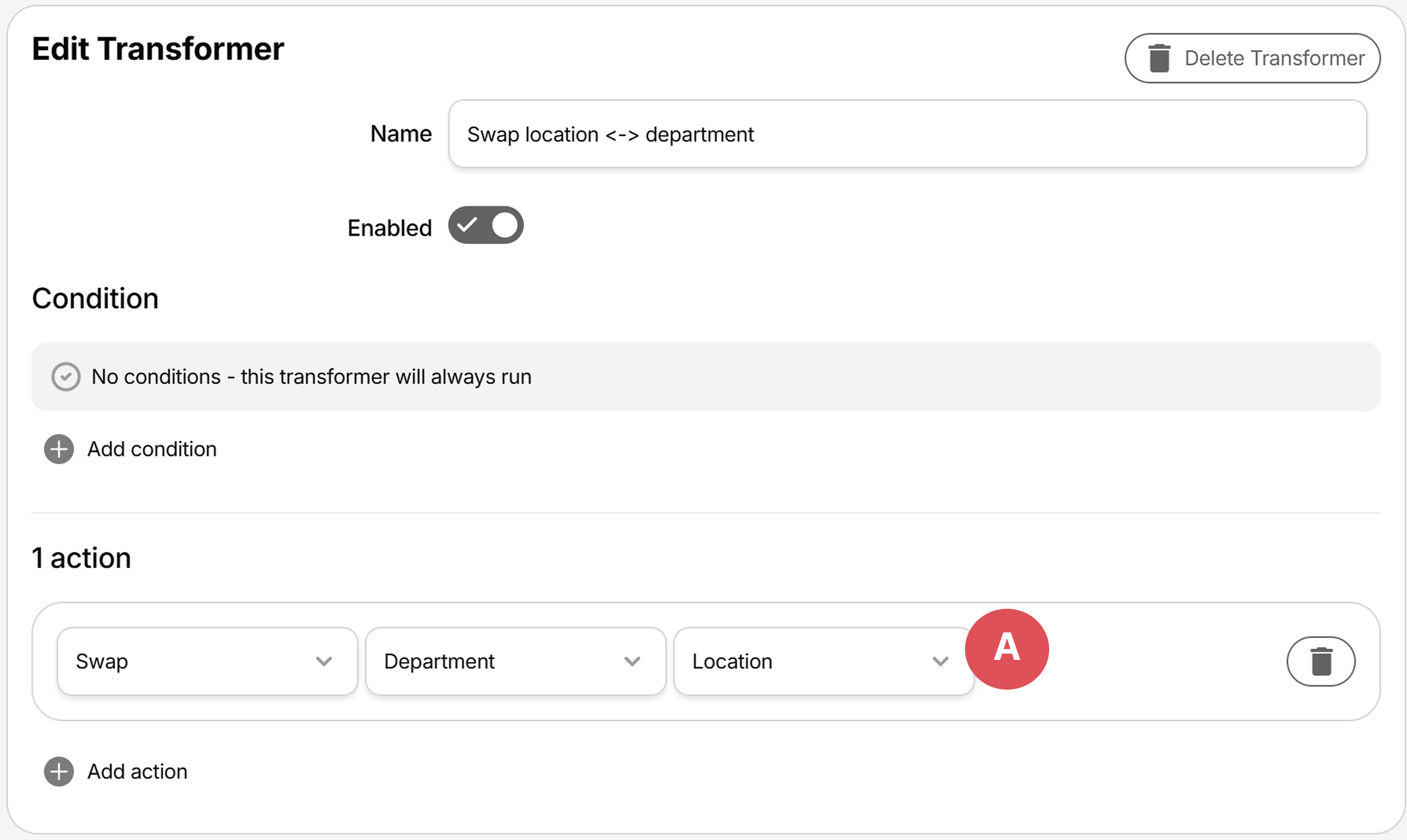
- A: Action swaps Department value with Location
Extract and use a part of the value
Scenario: The shelf call number HN5001.2423 Poetry should only use the part that comes before the decimal point, e.g. HN5001.
A set by regex transformer can be applied with the following pattern ^[A-Za-z0-9]+
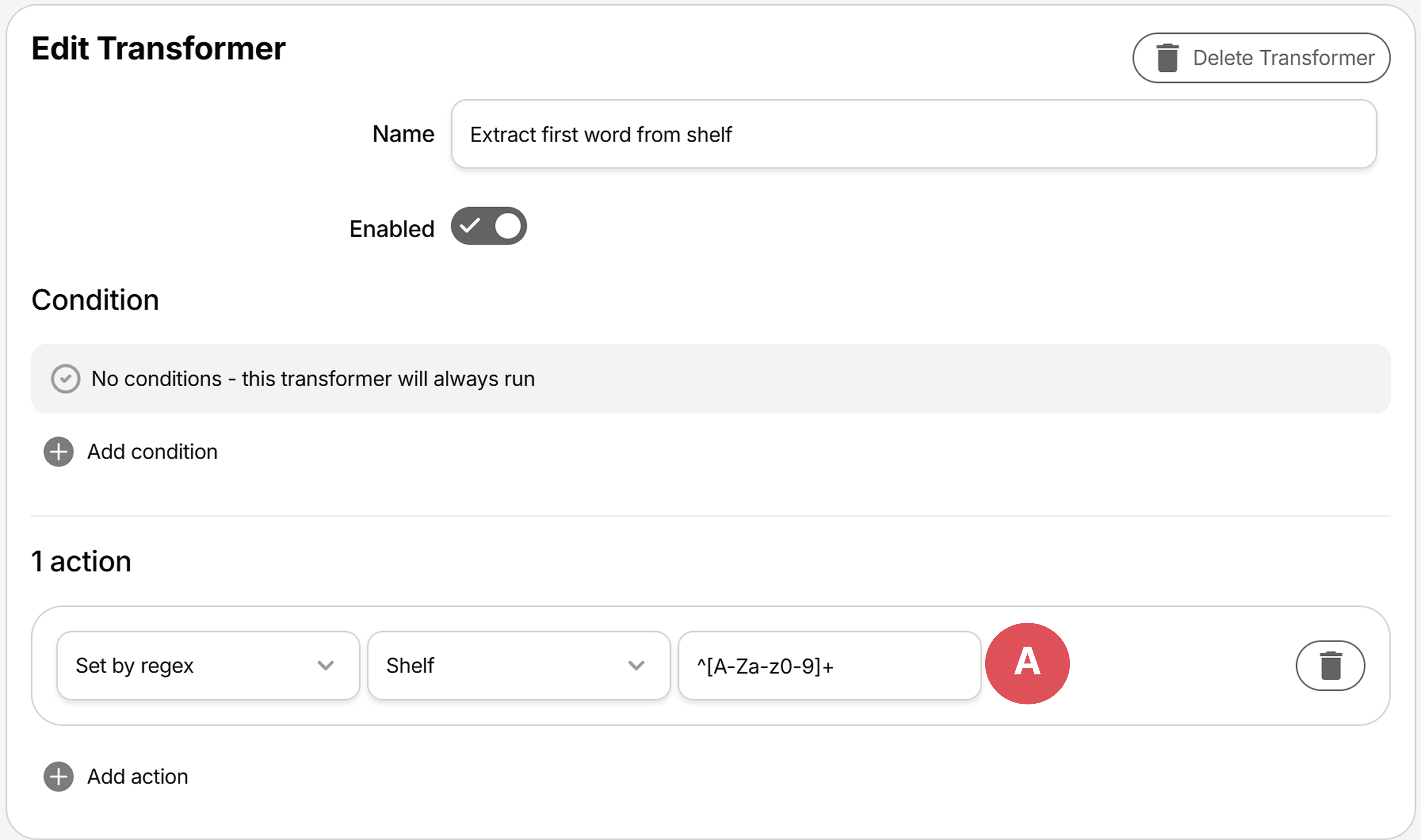
- A: Action sets Shelf value to the result of the regular expression pattern.
Regular expressions are advanced. The easiest way to create them are often times searching the web or asking an AI/GPT to generate them given a specific input and expected output.
Display a formatted message containing some of the values
Scenario: The user should be presented with a text description to locate the book, e.g. Look for shelf HB6708 in adult department.
A set mapping message transformer can be applied with placeholders that uses the request values.
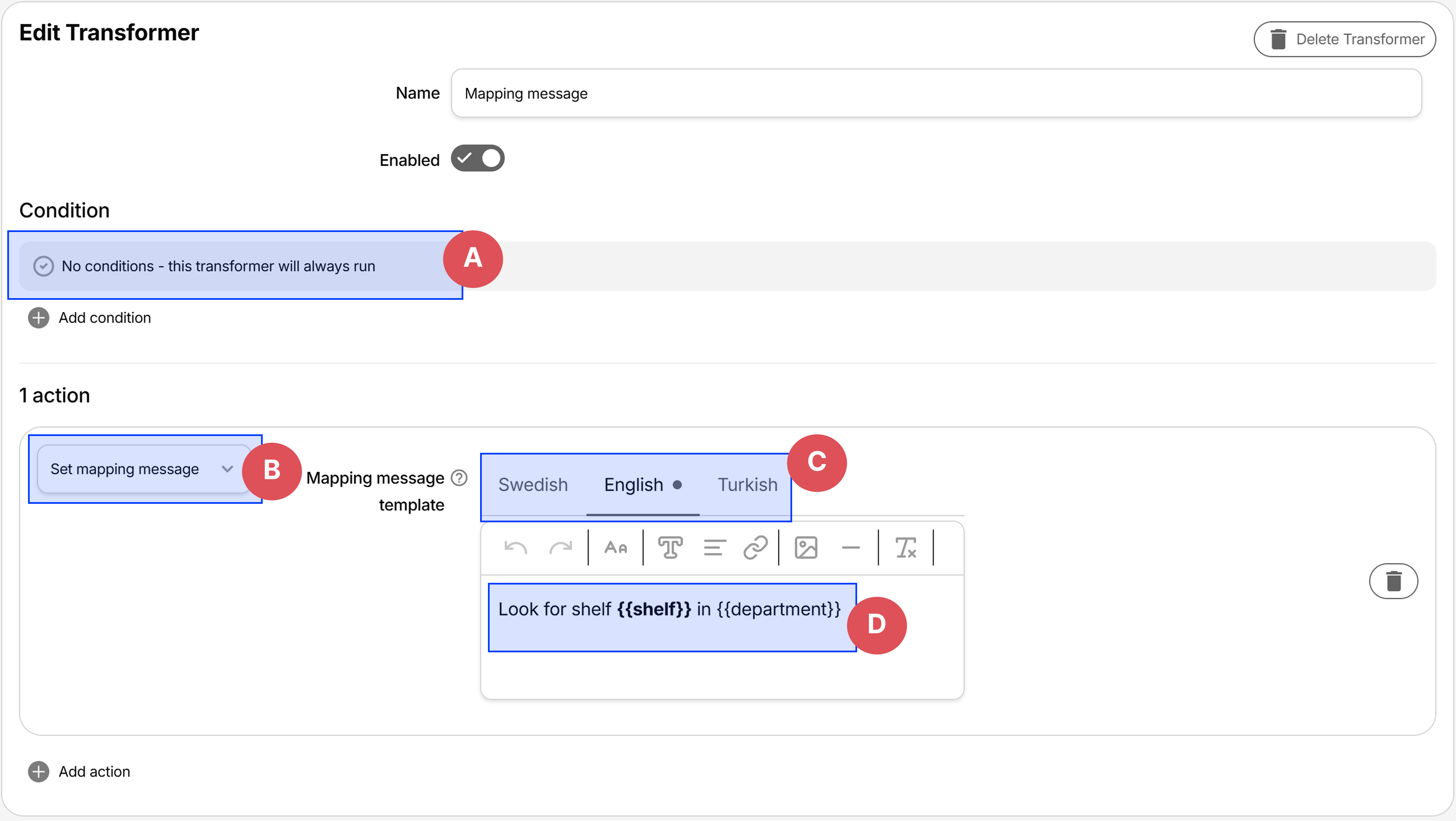
- A: No conditions, this will yield the same message for all requests. If you need different messages for different classifications, conditions can be used.
- B: Action type
Set mapping message - C: Translations for the message template
- D: The message template with allowed placeholders:
{{department}},{{location}},{{shelf}},{{sublocation}}
Result:
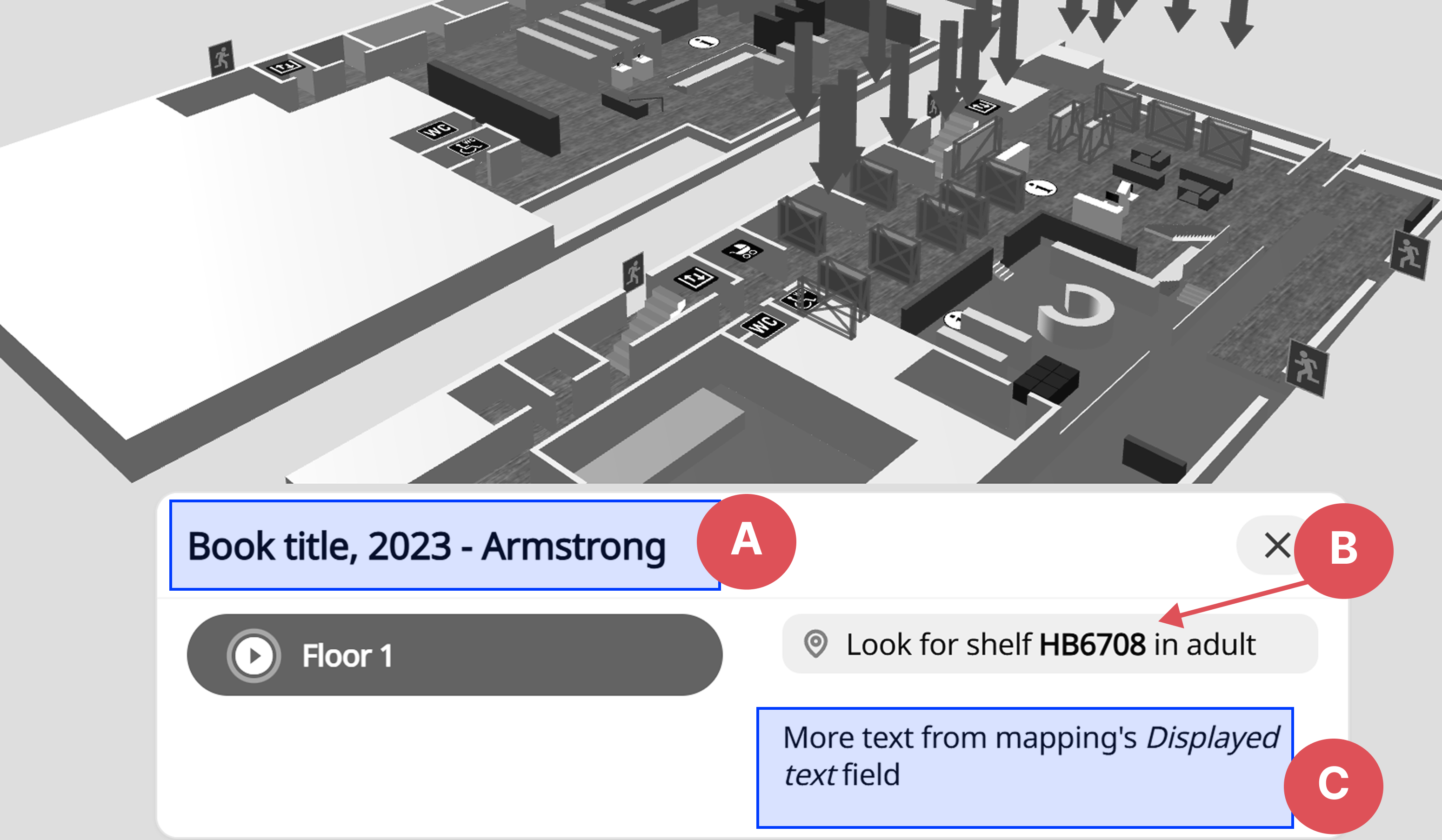
- A: Title, set via the
textparameter in URL - B: Message result, set via the
Mapping message templatetransformer action - C: Text, from the mapping's
Displayed text
Conditions
Conditions can be added to only apply the actions if one or more conditions are met. If no conditions are added, the actions are always applied.
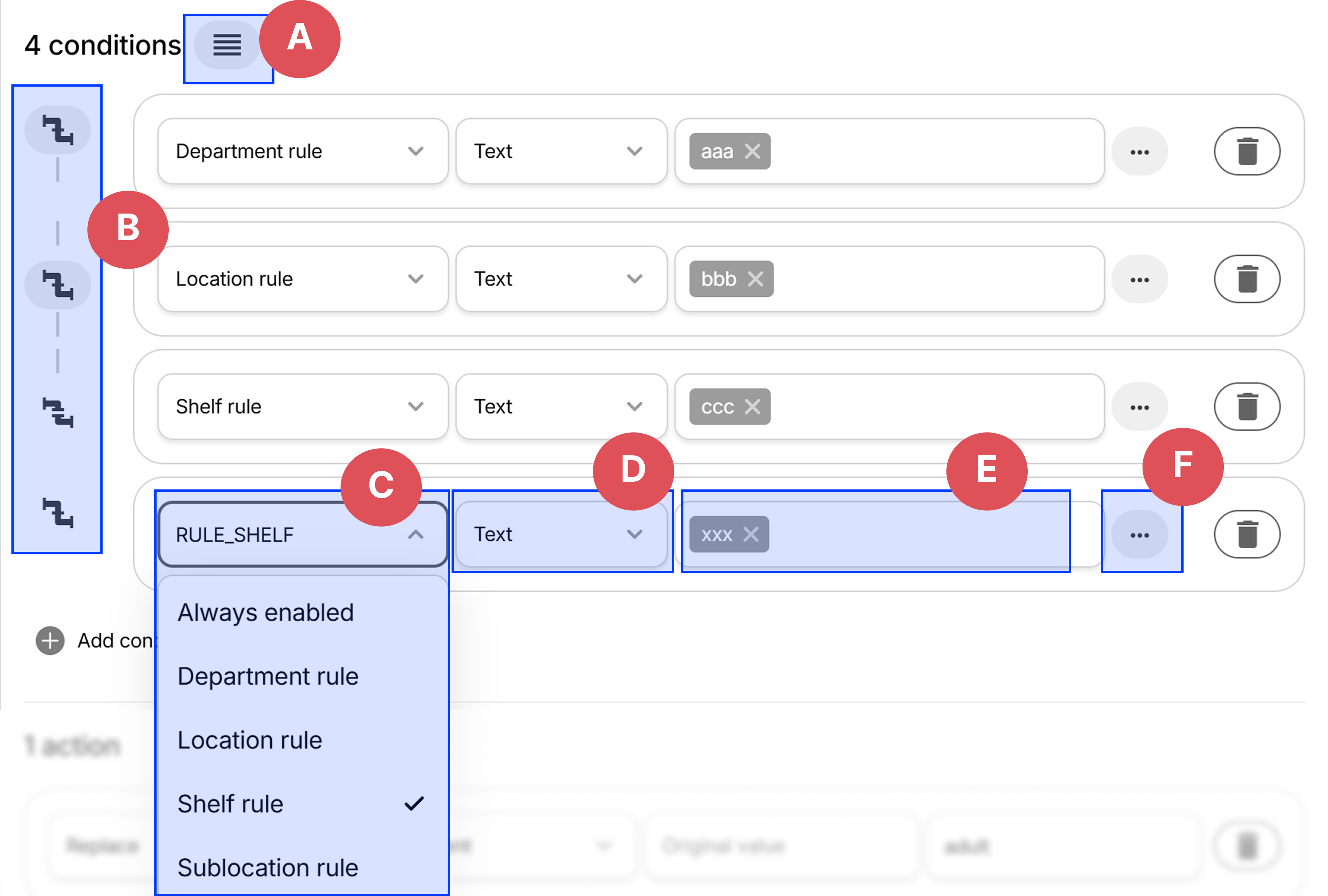
- A: Reorder conditions, used to create chains of condition groups
- B: Whether the clicked condition is chained with the next one (see below for chaining explanation)
- C: Targeted value
- D: Rule type
- E: Displayed fields changes depending on selected rule type
- F: More options, such as case sensitivity, clone and test
Verify & test
Chaining
Conditions can be chained together to create groups, e.g.:
A) if department is 'aaa' and B) location is 'bbb'
or
C) if shelf is xxx.
In this case, both of the following requests are passed
- department = aaa, location = bbb, shelf = ccc, sublocation = ddd
- department = 111, location = 222, shelf = xxx, sublocation = mmm
since the A+B are checked together, and C is checked separately.
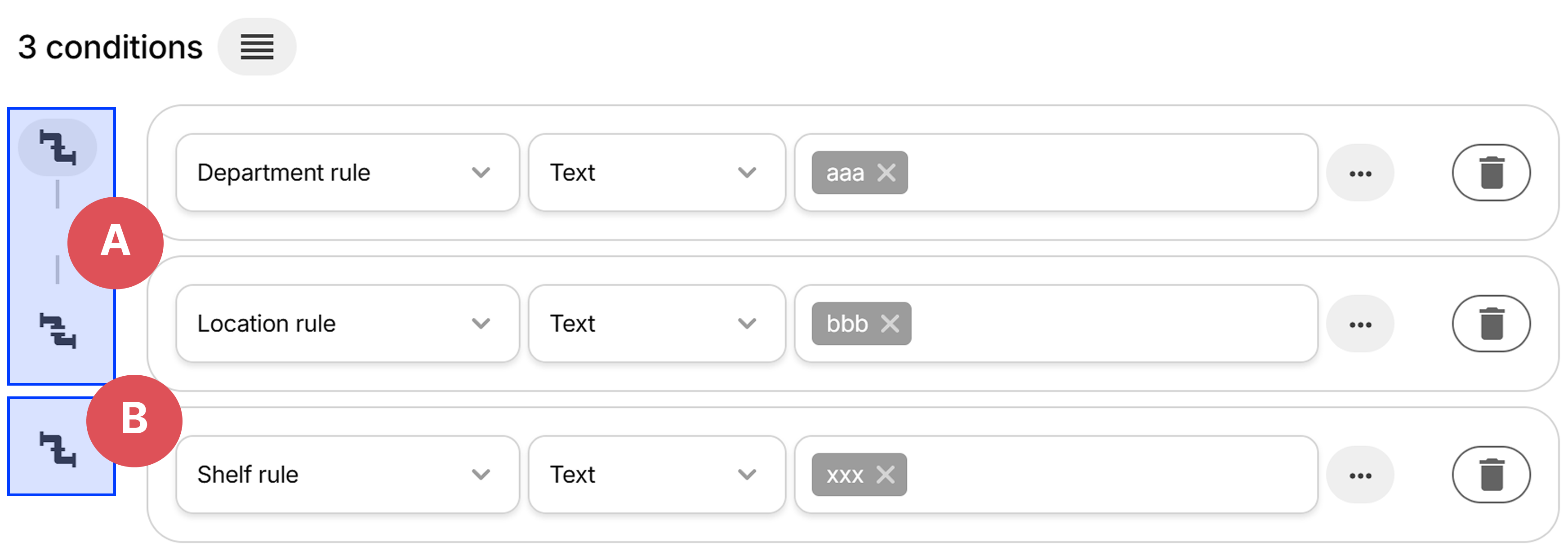
- A: The two first conditions are chained together
- B: The third condition is checked separately
Type - Department, Location, Shelf and Sublocation
Rules in conditions work the same way as Mapping rules in Catalogue mappings. They target a value (department, location, shelf or sublocation) and can either have the Text type or a classification such as SAB, Dewey or Library of Congress.
Type - Always enabled
The same as having no conditions - the actions in this transformer will always be applied
Actions
Transformers can have multiple actions. They are only applied if the conditions passes. Actions are applied in order, so a previous action might affect the next one.
Types
-
Replace - replaces
Original valuewithReplacement value. IfOriginal valueis left empty, the entire field is replaced withReplacement value.- Replaces any occurance of
abcwithxyzwithin Department. E.g. the value11abc22would become11xyz22:

- Original value is empty, replace entire value with
mno, e.g. value11abc22would becomemno:

- Replaces any occurance of
-
Remove - removes the entire value from selected field, such as removing location value.
-
Swap - swap one field with another, such as department
<->location. -
Change casing - changes value to either
UPPERCASEorlowercase -
Set mapping message - set message via a template with placeholders that's displayed to the user, e.g.
Book is at shelf {{shelf}} in department {{department}} -
Set by regex - set value in field to result of a regex match
Testing
Test all transformers
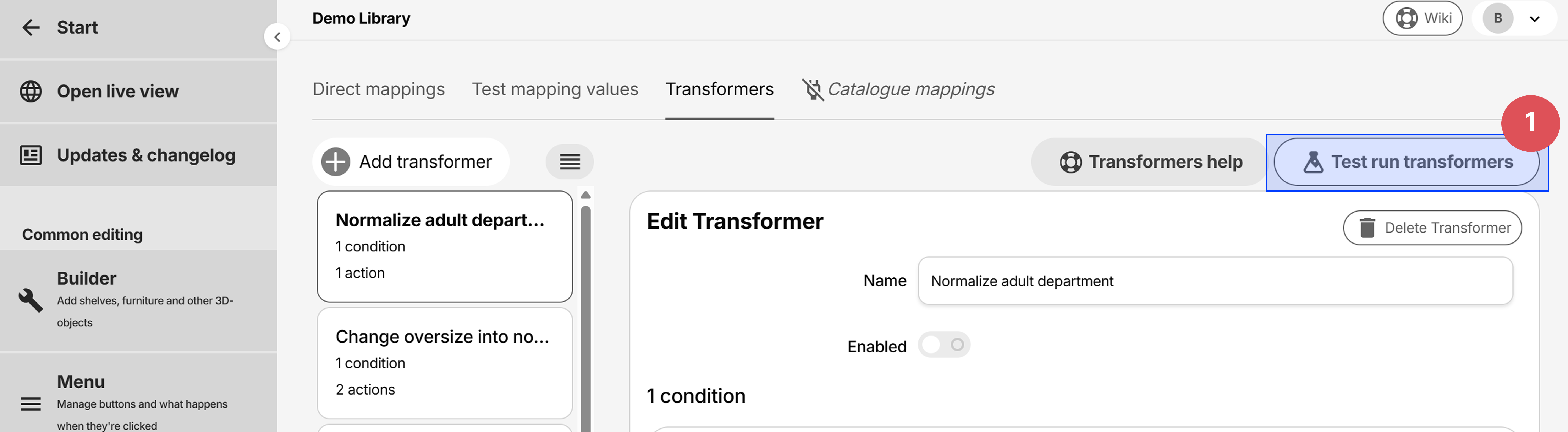
Tranformers can be tested against specific request values to verify they work correctly.
Opening the transformers tester
Transformers tester
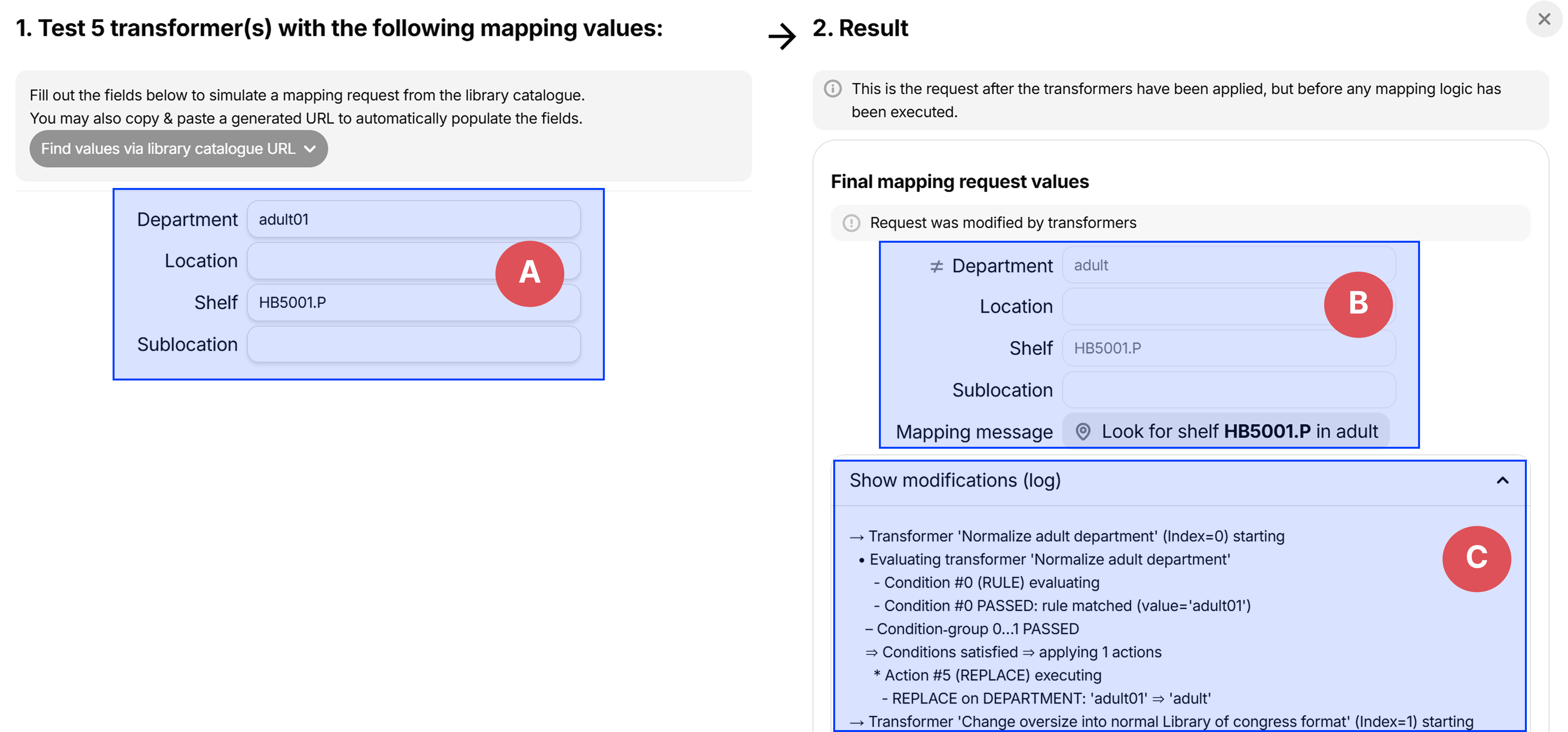
- A: The request values to test with
- B: The request values after transformers have been applied. If the field was modified, an icon is displayed left of the label
- C: The list of modifications for debugging purposes
Testing individual conditions
Open the condition tester:
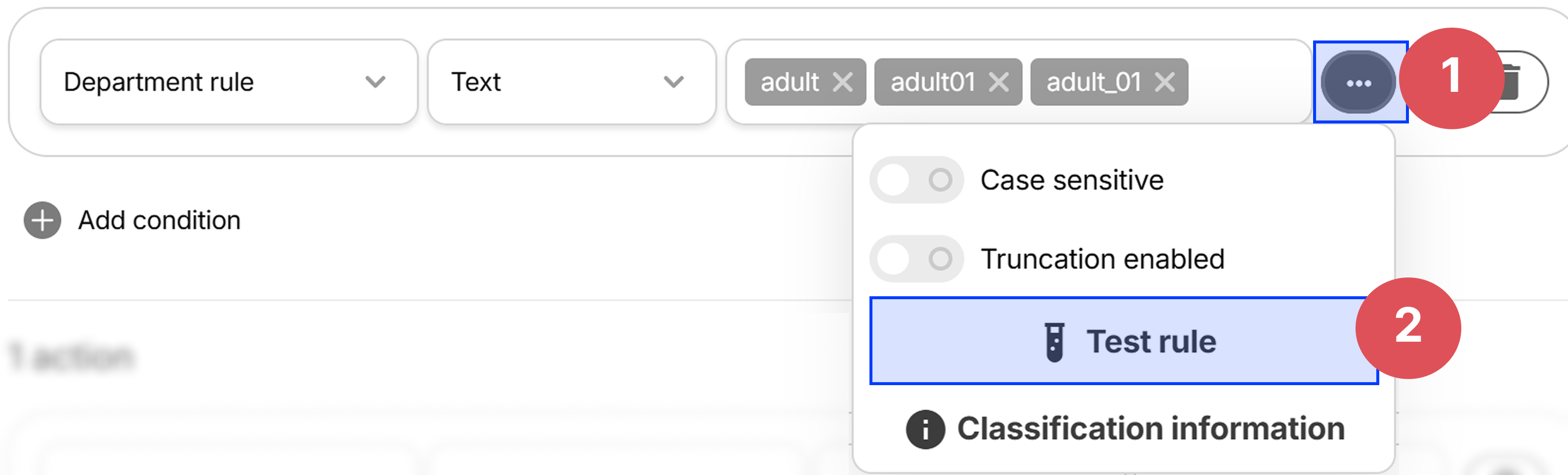
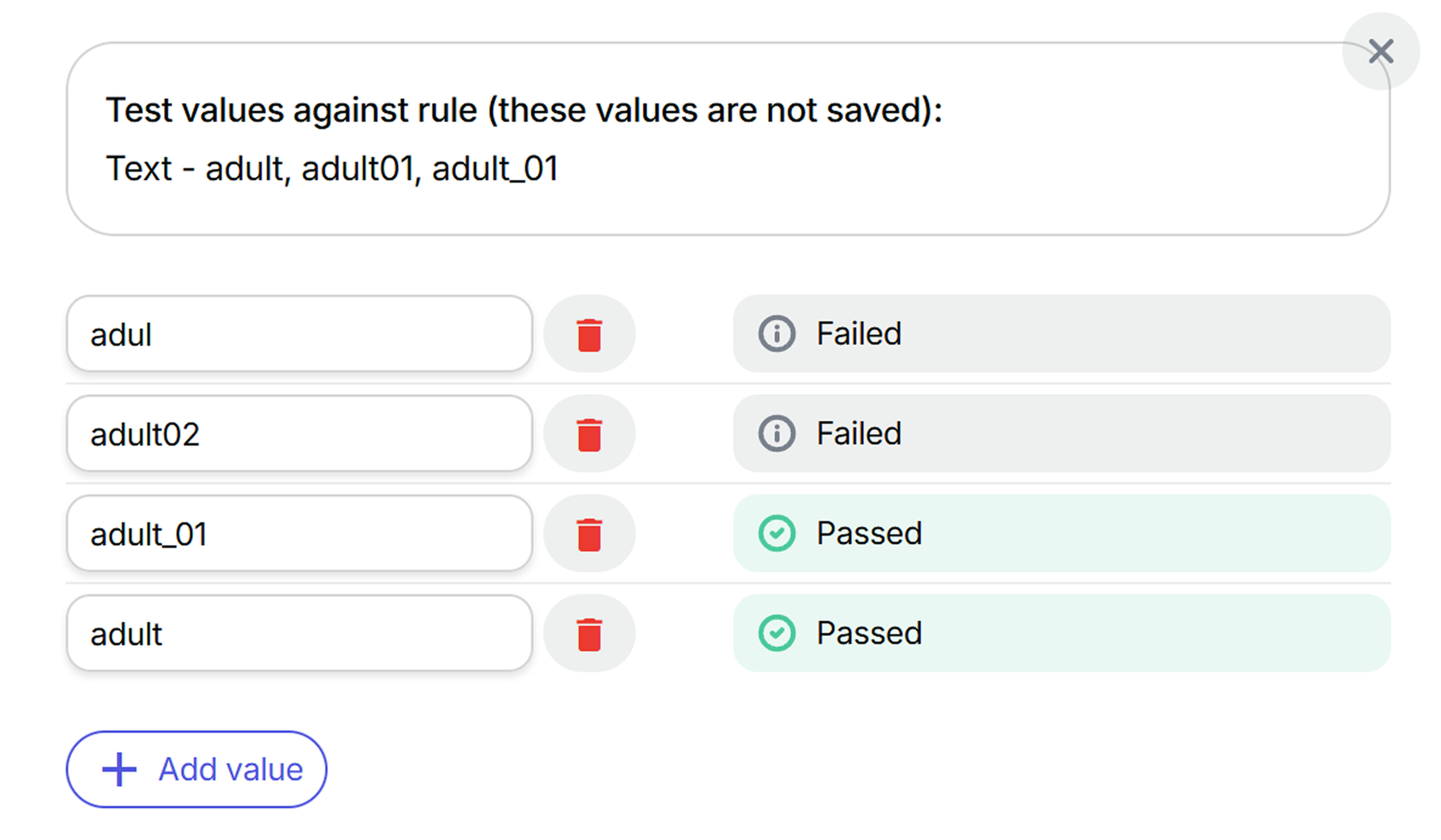
Tests the condition against specific values to see if it passes or fails: