About the library integration
About
Wagnerguide can be integrated with the library management/discovery system by generating links that redirects the user to your Wagnerguide, with the book's location information populated inside the URL as query parameters. Wagnerguide then attempts to match the location information against the mapping setup, and highlights the shelves in 3D.
Mapping flow chart:
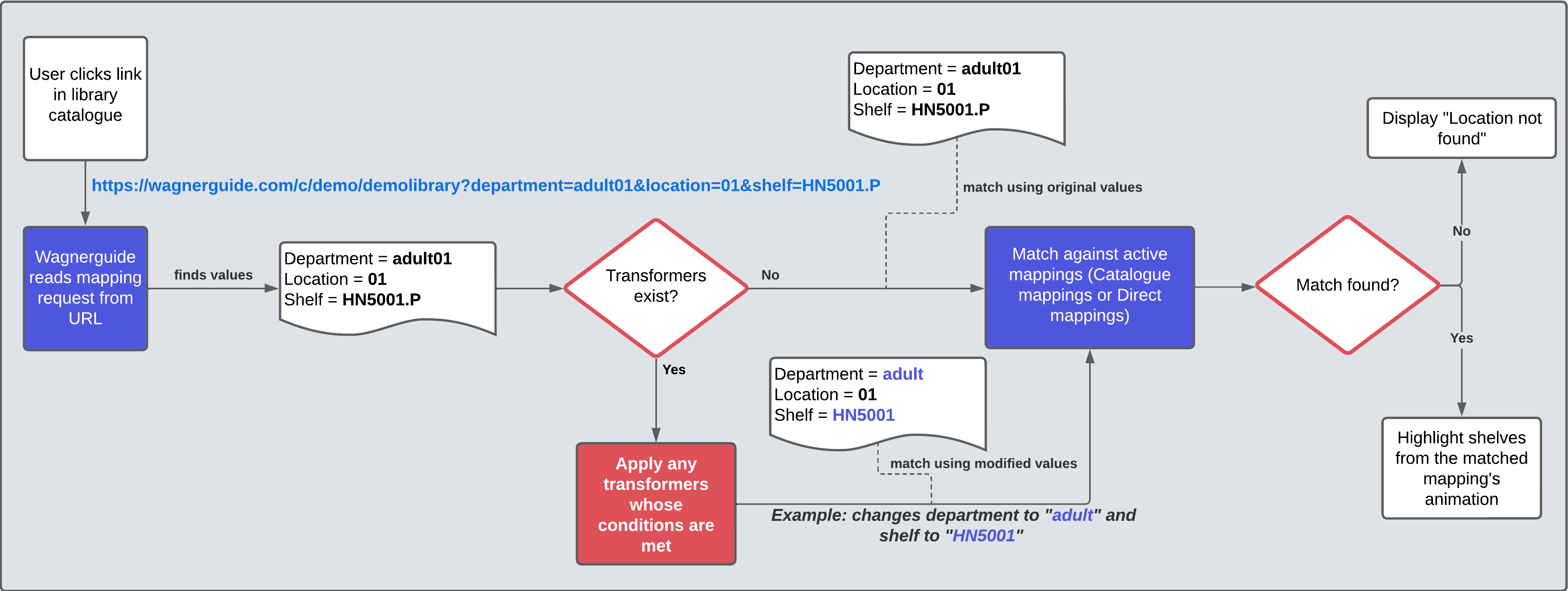
Example of a generated link in the catalogue post:
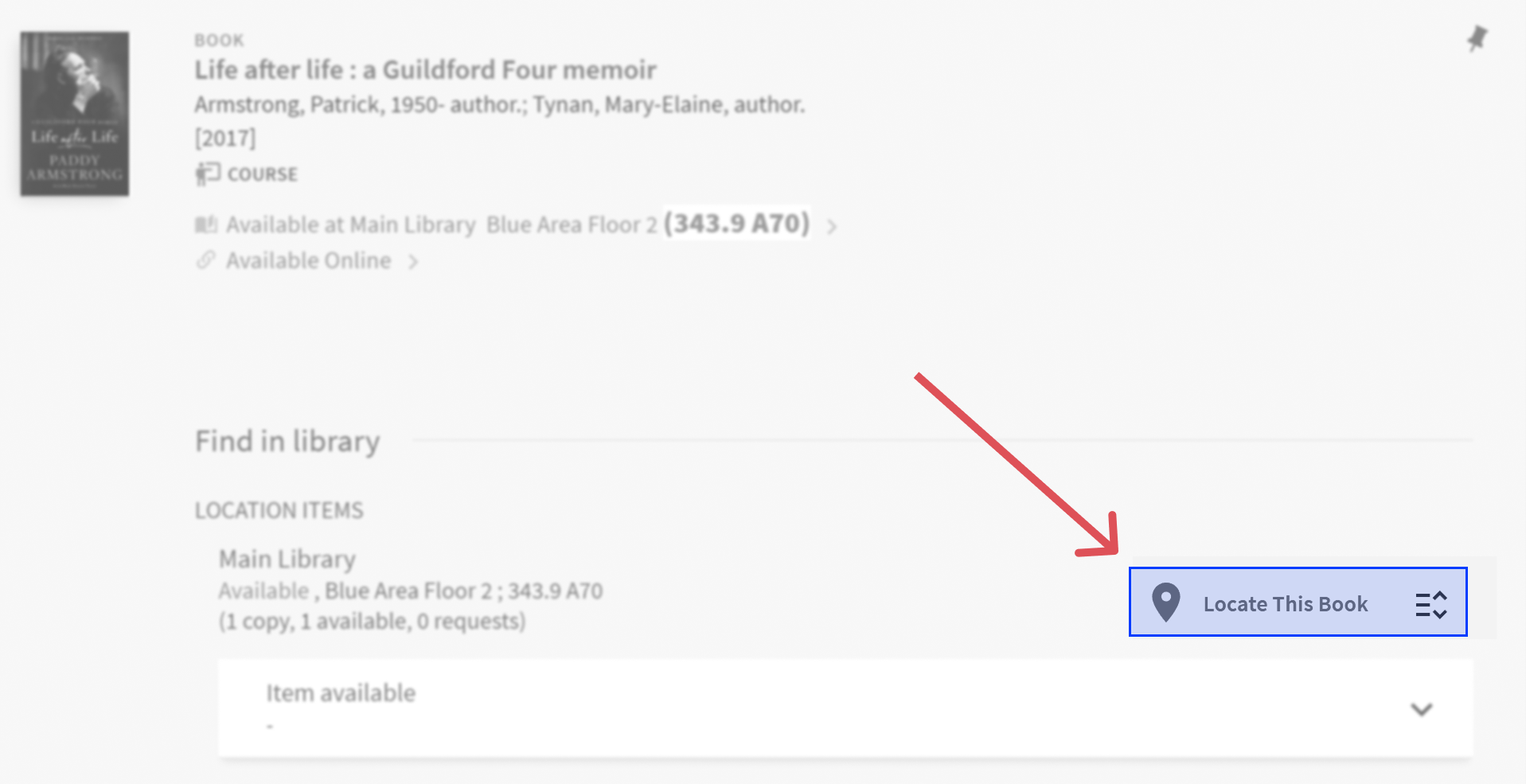
Example of a displayed location:
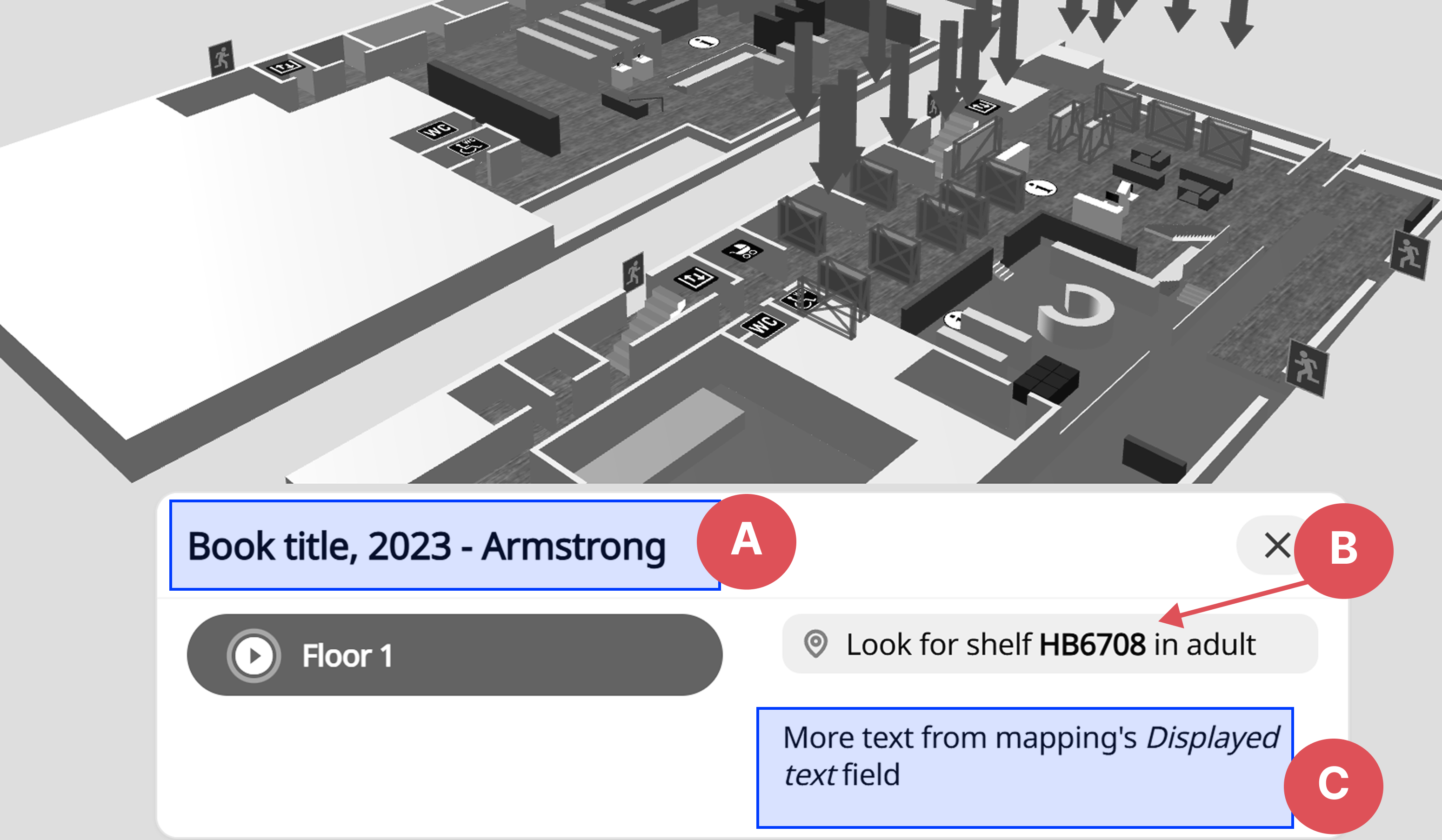
- A: Title, set via the text parameter in URL
- B: Message result, set via the Mapping message template transformer action
- C: Text, from the mapping's Displayed text
Integration process
The integration process can be seen as two parts:
1. Generating catalogue post links
This is done within your LMS or Discovery system. Most systems have a native solution for this, or can likely be extended via custom scripts to support the generation of links. See Technical information/setup for more details.
2. Mapping setup within Wagnerguide
When Wagnerguide recognizes an incoming mapping request, it parses the different placement information and tries to match it with the mapping setup, meaning either Catalogue mappings or Direct mappings. See Catalogue mappings for more details.
Supported library classifications
We have native support for multiple library classifications, and have developed custom solutions for other in-house classifications as well. We support truncation, case sensitivity, alphanumeric ranges, and more.
Some example classification systems we support are:
- Dewey
- Library of Congress
- Klartext
- SAB
- ..and more
Since the mapping rules can be setup in a generic manner, other classifications are supported as well. See Mapping rule types for more details.
Request parameters
Request values can contain up to four parameters that are used in mappings to find the best match.
Often only a subset of parameters are needed to find the best match, such as department + shelf or location + shelf. More parameters would be used if they are not unique, and more values are needed to find the specific mapping.
- Department - library specific, the primary section the book is in.
- Examples:
adult,youth,01,babv
- Examples:
- Location - library specific, sometimes used instead of department.
- Examples:
01,110,24
- Examples:
- Shelf - the shelf call number, such as Dewey, SAB, Library of congress, Klartext, etc.
- Examples:
Hcf,HD5001.55.U52,782.22,biographies
- Examples:
- Sublocation - seldom used, often the first letter in the authors first or last name
- Examples:
P,A,B
- Examples: